September 2026
4 updatesA Much Faster Neurelect
We made large speed and performance improvements across the app, resulting in a much snappier experience. Basic CSV exports are up to 8x faster. The Analyst opens about 5x faster. The Lists page loads about 3x faster. The billing page loads about 3x faster. Every page in the app reloads about 2x faster. The campaign overview loads about 40% faster.
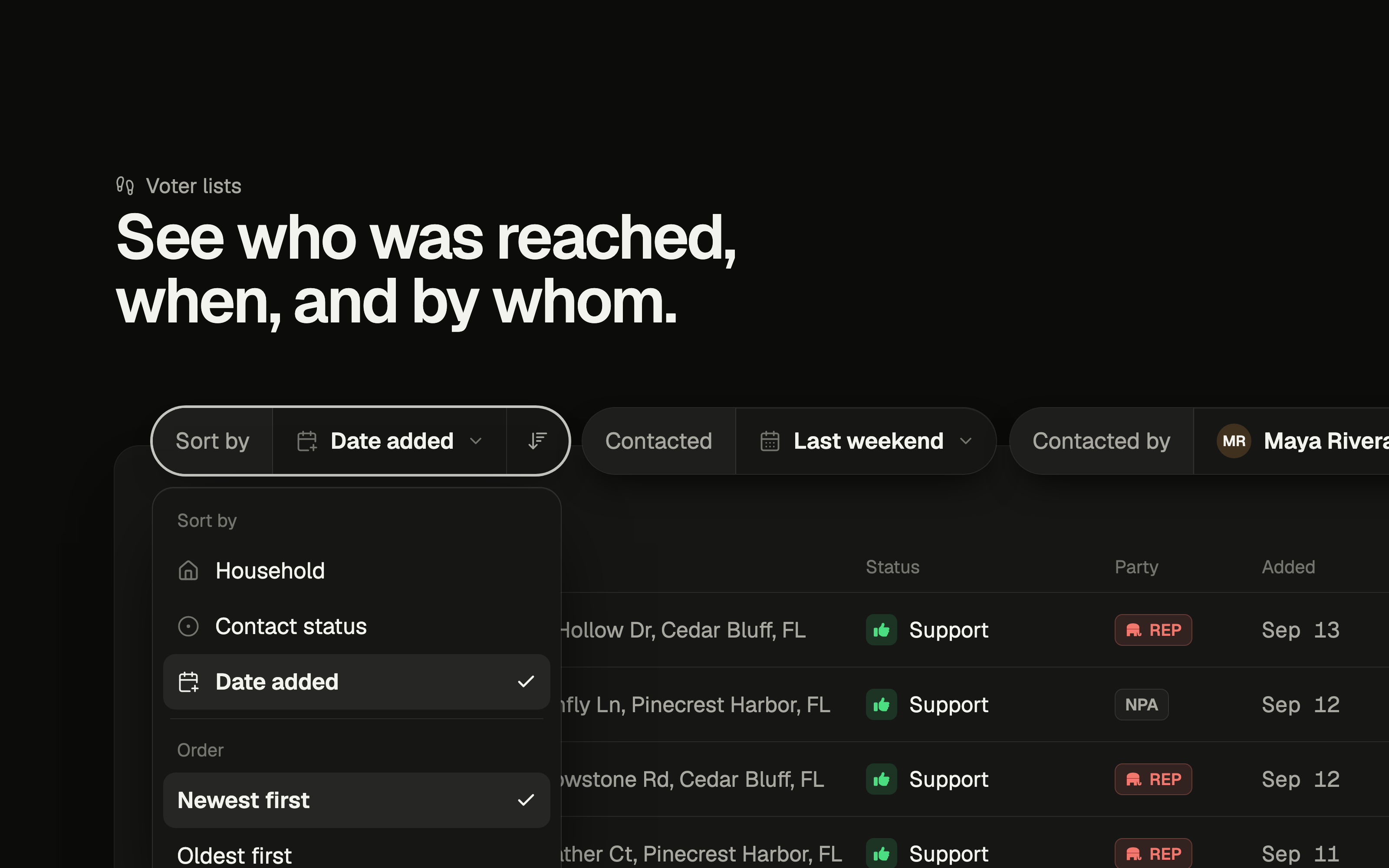
New List Filters and Sorting
Voter lists now answer the questions campaigns ask every day: who's new, who still needs a knock, who a volunteer reached, and what happened on Saturday. Four controls sit above every list, and they work together. Four controls, any combination Sort by household, contact status, or date added, newest or oldest first. Status narrows to supporters, opposed, undecided, not home, or voters nobody has reached yet. Contacted picks a date range from a calendar, or a shortcut like Yesterday, Last weekend, or Last 7 days. Contacted by narrows to doors a single teammate logged. Start typing a name to find them. Put them to work See the newest yard sign requests Yard sign lists now open with Sort by: Date added, Newest first, so the latest requests are always at the top. Hover a date to see who added the voter, and flip the order to work through the oldest requests first. Find voters you still need to reach Set Status: Not contacted and Sort by: Household. What's left is every door without a result, grouped by address so a canvasser can clear a whole house in one stop. Check in on a volunteer Choose a teammate under Contacted by and set Contacted: Last 7 days. You'll see every door they logged this week. Add Status: Support to see the supporters they found. Pull up everyone from one walk day Open Contacted, pick the day you walked on the calendar, and apply. Every voter reached that day is on screen. Add Status: Support to get a thank-you list, or Not home to plan a second pass. Share the exact view The page link now carries your sort and filters. Copy it from the address bar and a teammate opens the same list, already filtered. Export what you see Exports follow your filters. The export dialog lists the status, contact date, and teammate filters it will apply, so the CSV holds exactly the voters on screen.
Read the full story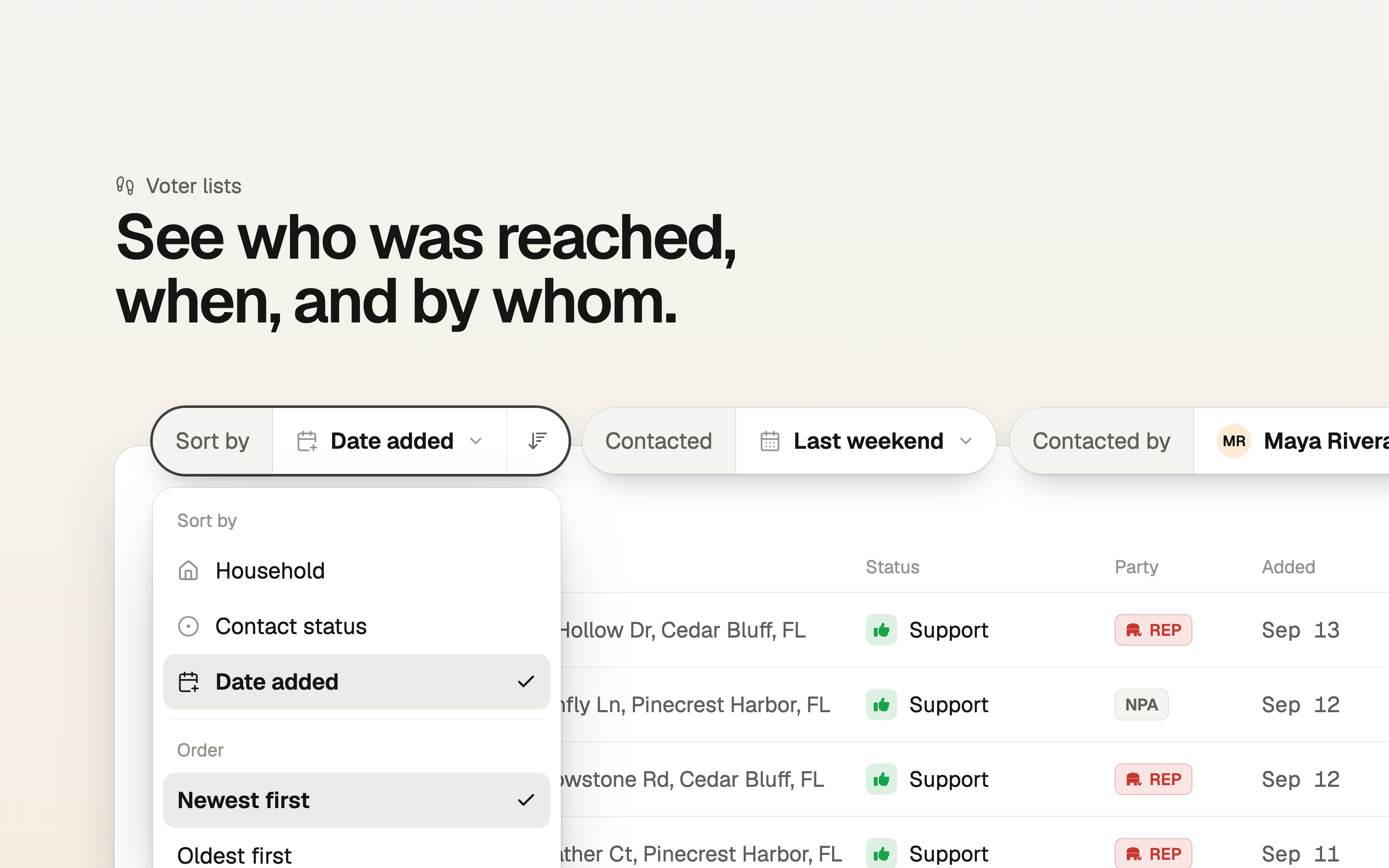
Introducing Auto Turf
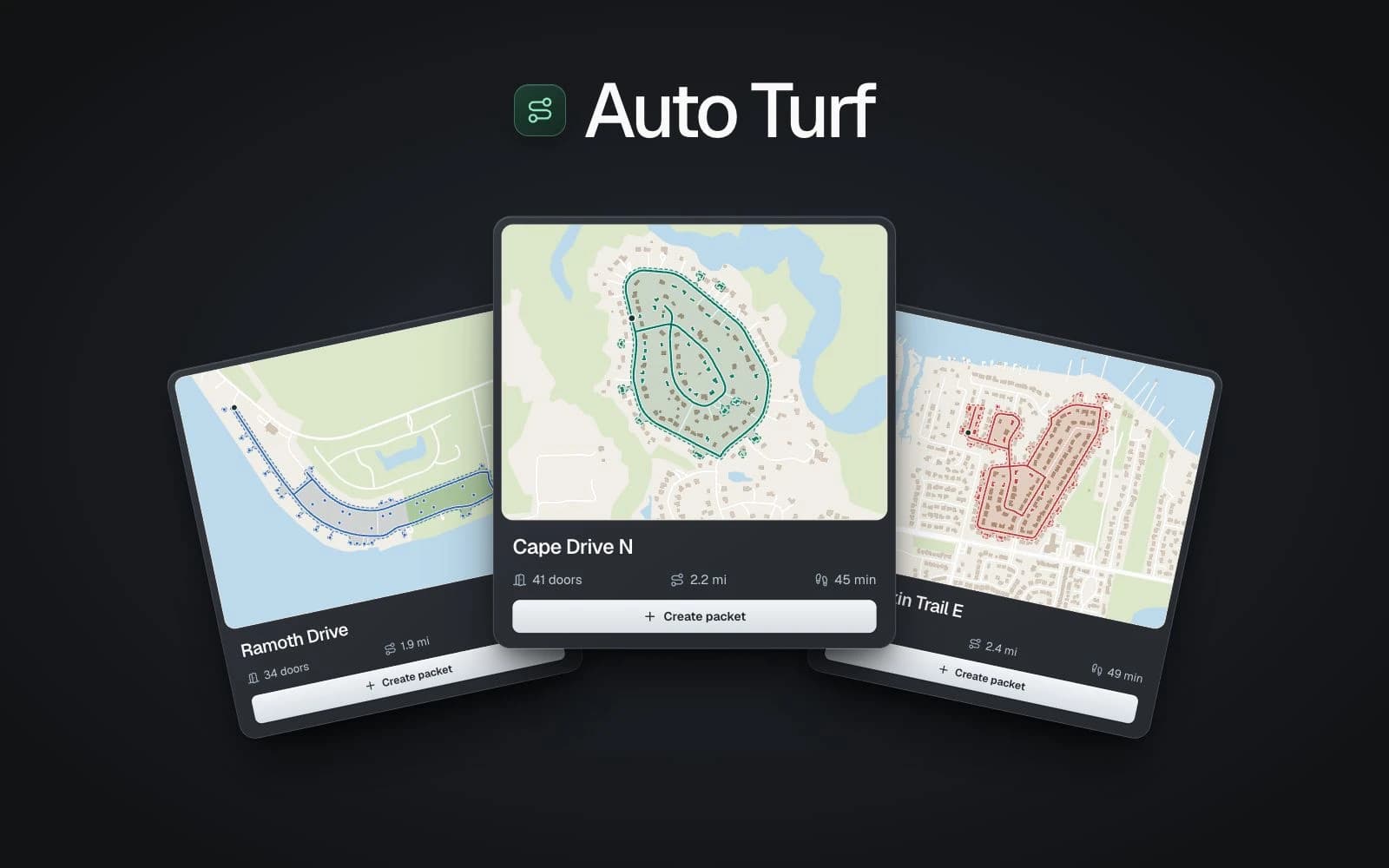
We're excited to introduce Auto Turf, one of the features we've been most looking forward to sharing. Turf cutting is one of the hardest parts of getting a campaign ready to knock doors. You can know exactly which voters you want to reach and still spend hours figuring out how to divide them into walks. Houses that look close together can sit on disconnected streets. A creek, a busy road, or a neighborhood with one entrance can turn a small area on the map into a much longer afternoon. Auto Turf helps with that work. It uses your voter list, street connections, and neighborhood boundaries to suggest walk packets for your team. Each suggestion includes a map, a door count, and an estimated walking time for a route that returns to its starting point. Open Walk Packets on any voter list to see the suggestions. Preview a route, inspect the stops, and create a packet when it looks right. You can then assign volunteers and get ready to head out. Suggestions also account for voters already assigned to packets across your campaign. As your team creates packets, overlapping lists refresh to keep those voters out of the remaining suggestions. You still bring the local knowledge. Our goal is to give you a useful starting point and more time to spend talking with voters. Walking time excludes door approaches and conversations. Review local access before sending your team out, and allow time for those visits. See Create a packet from a suggested walk for the full workflow.
Read the full story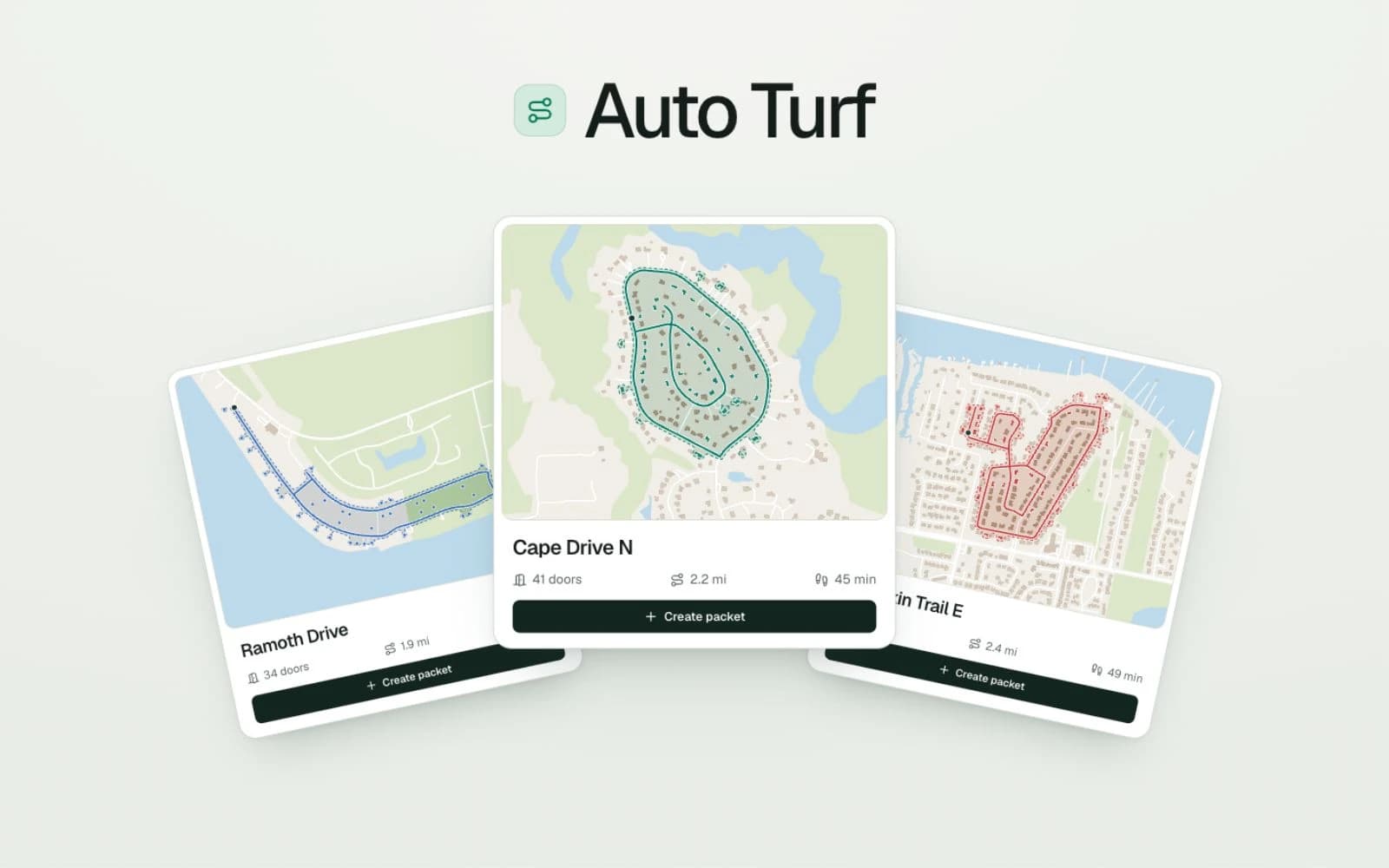
Faster Pages and Bug Fixes
Targeting pages, voter counts, and county overviews should load faster now, especially when you're working statewide. We've also fixed a few bugs across the app.
August 2026
1 updateJuly 2026
6 updatesHousehold CSV Exports in Analyst
Analyst can now export existing voter lists for individuals, households, or current residents, matching the addressing options available in targeting. Ask Analyst for a household-level CSV to get one row per unique mailing address. Standard CSV requests still default to one row per individual.
Voice Dictation in Analyst
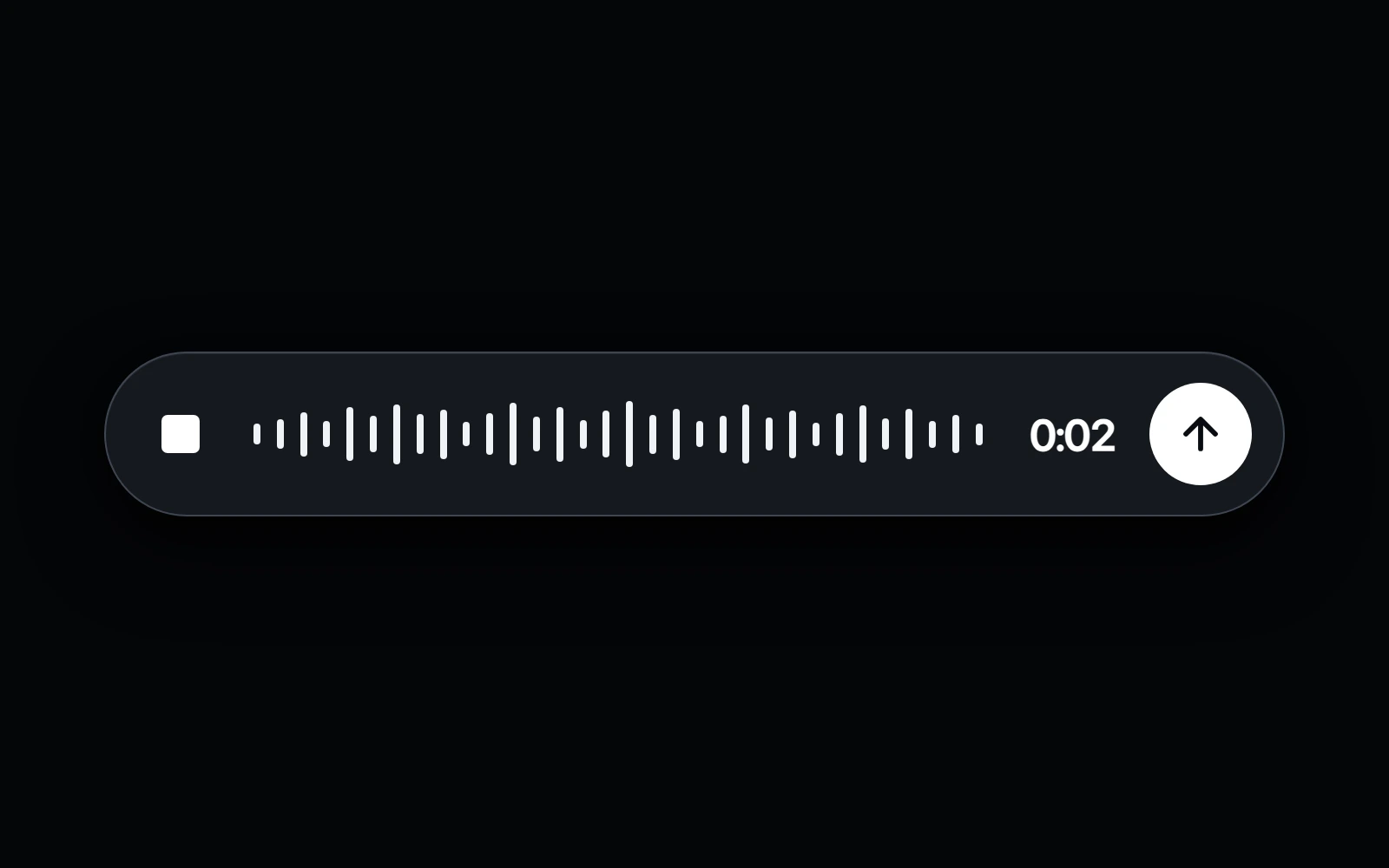
Using Analyst on the go just got easier. Tap the microphone to speak your question, then review the transcription or send it immediately—no typing required.
Read the full story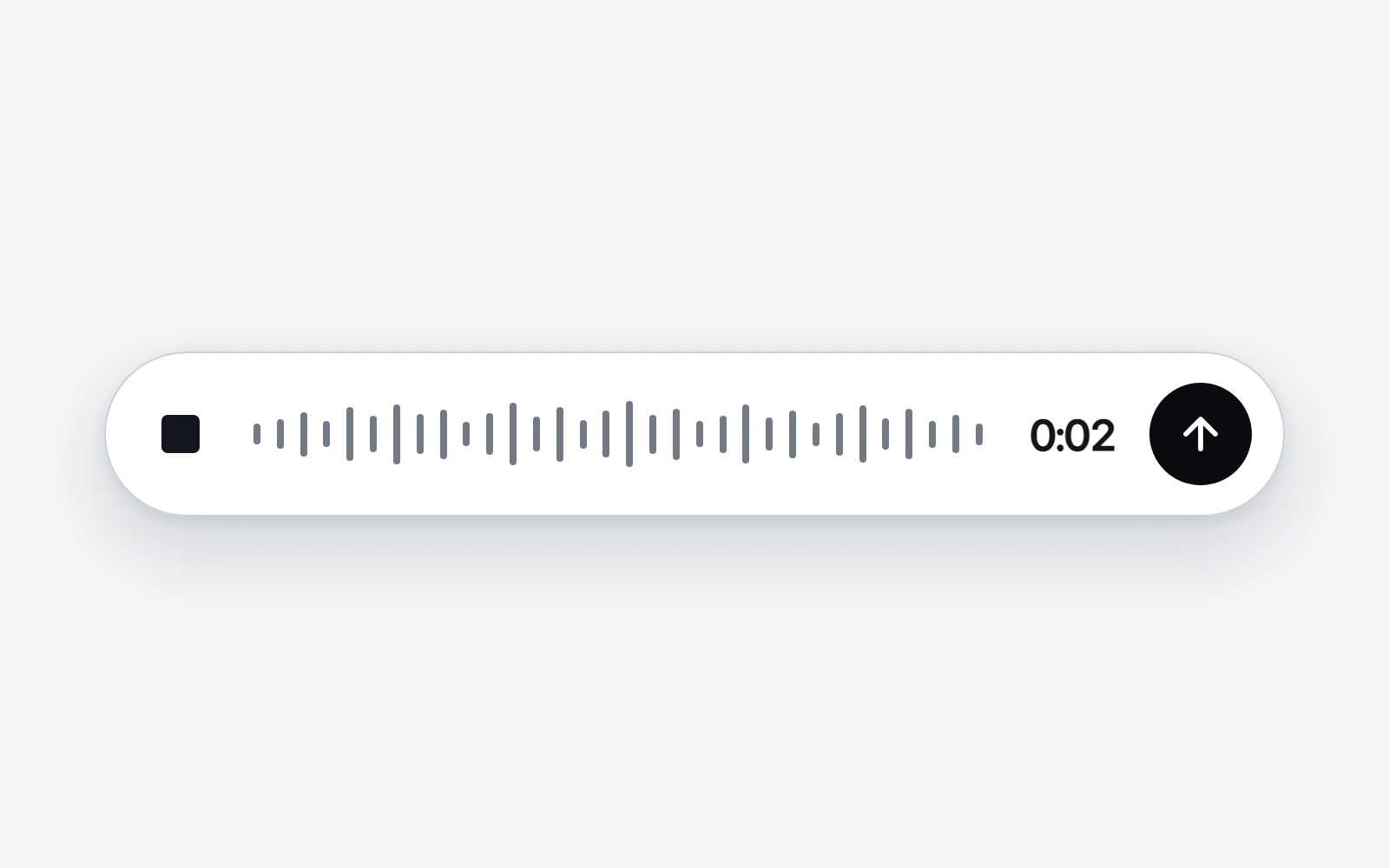
Analyst Reliability Fixes
Fixed several Analyst bugs affecting chat history, follow-up messages, and session reliability.
More Product Walkthroughs
We've added a few more video walkthroughs to help you get the most out of Neurelect. Alongside the existing tutorials, you'll now find a guided tour of the campaign workspace and a walkthrough of building a focused voter audience with the targeting map. Each one opens in a player right from the docs — pick a walkthrough from the sidebar or the Walkthroughs page. This is just the start. We'll keep adding walkthroughs to cover more of the platform in the coming weeks.
Past Chats Are Now Searchable by Analyst
Analyst can now find and read older campaign chats when you ask about something you discussed before. It can search past conversations, open the relevant chat, use what it reads to answer your question, and link back to the original thread.
Resumable Analyst Chats
Analyst conversations are now more resilient while answers are being generated. If you refresh the page, switch chats, or briefly leave and return on mobile, Analyst is better able to reconnect to the running response and keep the conversation intact instead of showing a failed message or losing the latest follow-up.
June 2026
5 updatesImproved Multi-County Candidate Research in Analyst
Analyst can now better answer questions about state-filed, multi-county candidates using expanded candidate filing data and DOS campaign finance files. For those candidates, Analyst can surface filing context alongside raised, spent, loan, in-kind, and contribution details where available.
Search Your Analyst Chats
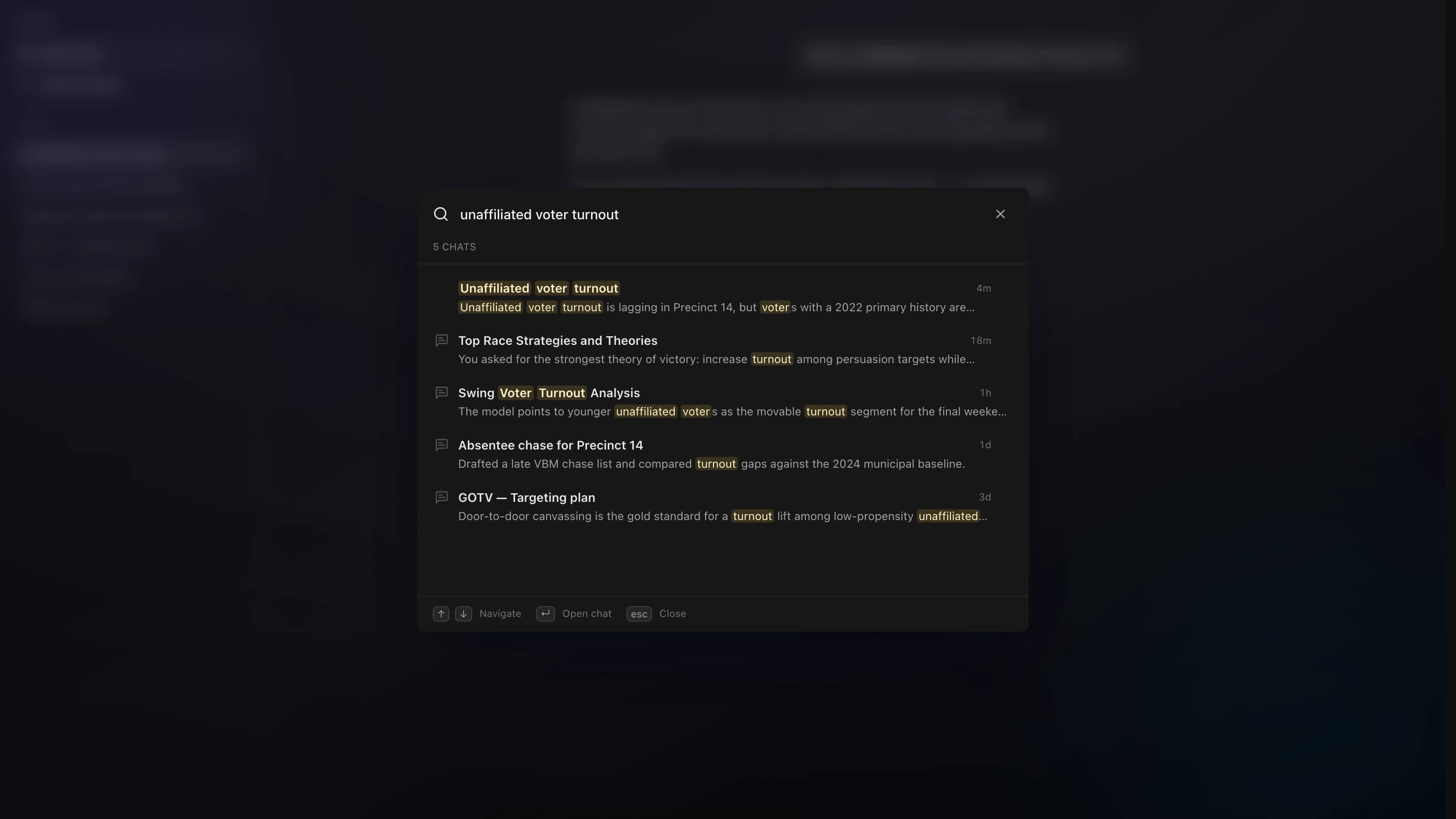
You can now search your past Analyst conversations by title or message text. Matches are highlighted, and opening a result jumps right to the line that matched.
Read the full story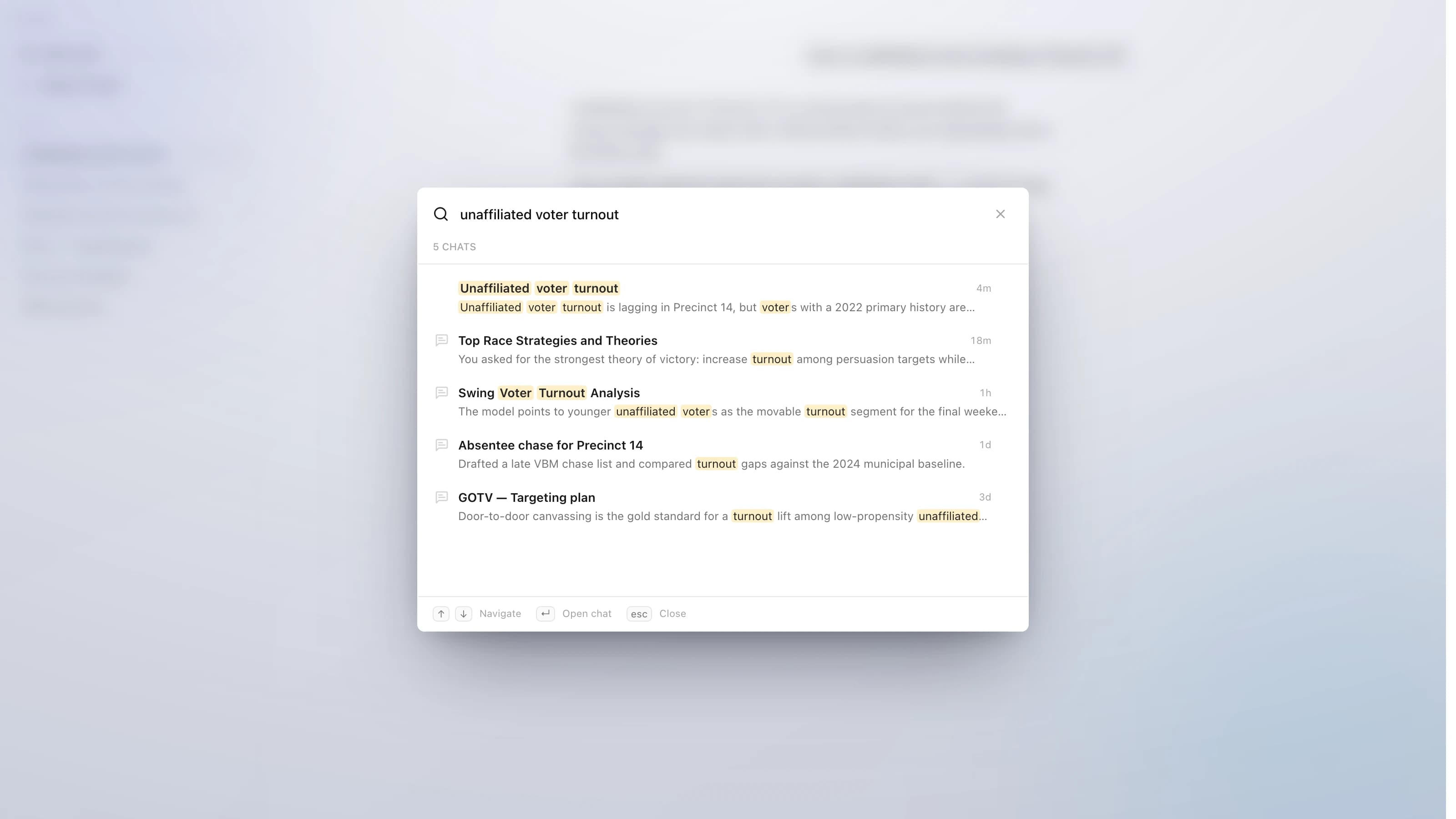
Improved Walk Packet Loading on Slow Internet
Walk packets now show loading feedback sooner on slow connections, so canvassers get immediate confirmation after opening a packet instead of wondering if their tap registered. We also tightened live walker loading to the packet being opened, reducing extra work while the walk sheet gets ready.
Live GPS Tracking for Canvassers
Walk maps now show your team's live locations while they canvass, so organizers can coordinate coverage and canvassers can see where teammates are working. Live Walker Locations Teammates actively walking a packet appear on walk maps in real time, on desktop and mobile. When a walker goes offline, their last-known position stays visible as a muted pin with a "last seen" time — Find My style — instead of disappearing. Walk packet cards show who is actively out walking each packet. Presence keeps tracking reliably across packet switches and long sessions, and only you can report your own location.
Redesigned Walk Packet PDFs
Printed walk packets got a full redesign so they are faster to mark up at the door and easier to read back at HQ. Walk Sheet Layout Every voter row now has labeled Support / Undecided / Oppose / Not Home bubbles, so canvassers can mark responses without a legend. License and exemption chips (fishing and hunting licenses, professional licenses, homestead exemptions) print next to each voter for instant conversation context. Street headers no longer get orphaned at the bottom of a page — addresses always stay with their voters. Export Modal The download modal was rebuilt with simple toggles for what to include and a segmented control for sort order, so you can shape the packet before printing.
May 2026
3 updatesA Dedicated Walk Packets Page
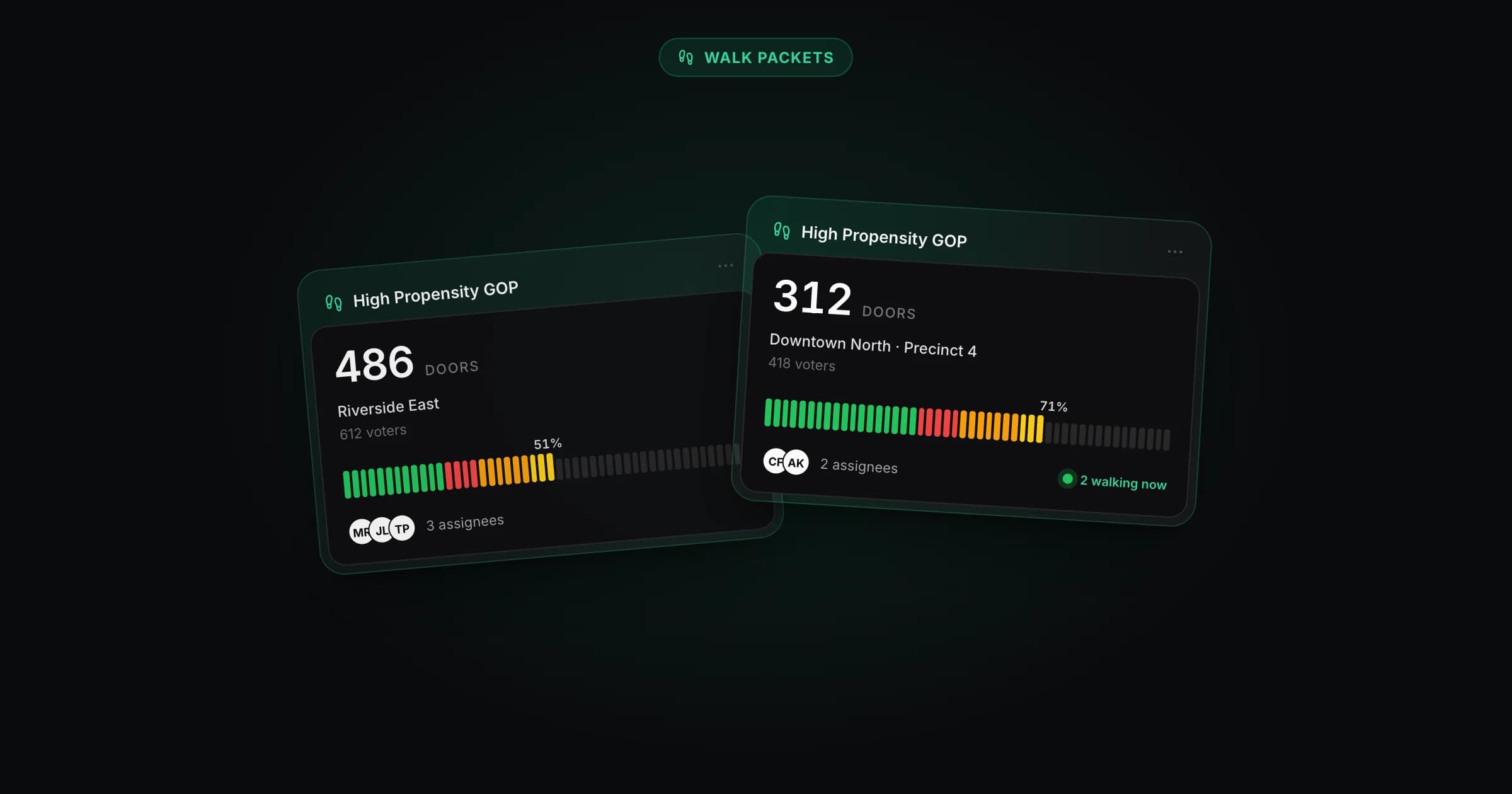
Every packet in one place There's now a dedicated Walk Packets page that brings every door-knock route across all your voter lists into a single view. No more opening each list to find the turf you need. Filter, sort, and search Filter by list, narrow to packets assigned to you, or search by name. Sort by most recent, most progress, biggest, or name to surface exactly what your canvassers need today. Live progress at a glance Each card shows contact progress in real time, split by support, opposition, not home, and undecided, plus a "walking now" indicator for turf being canvassed right now. A campaign-wide progress summary sits at the top of the page.
Read the full story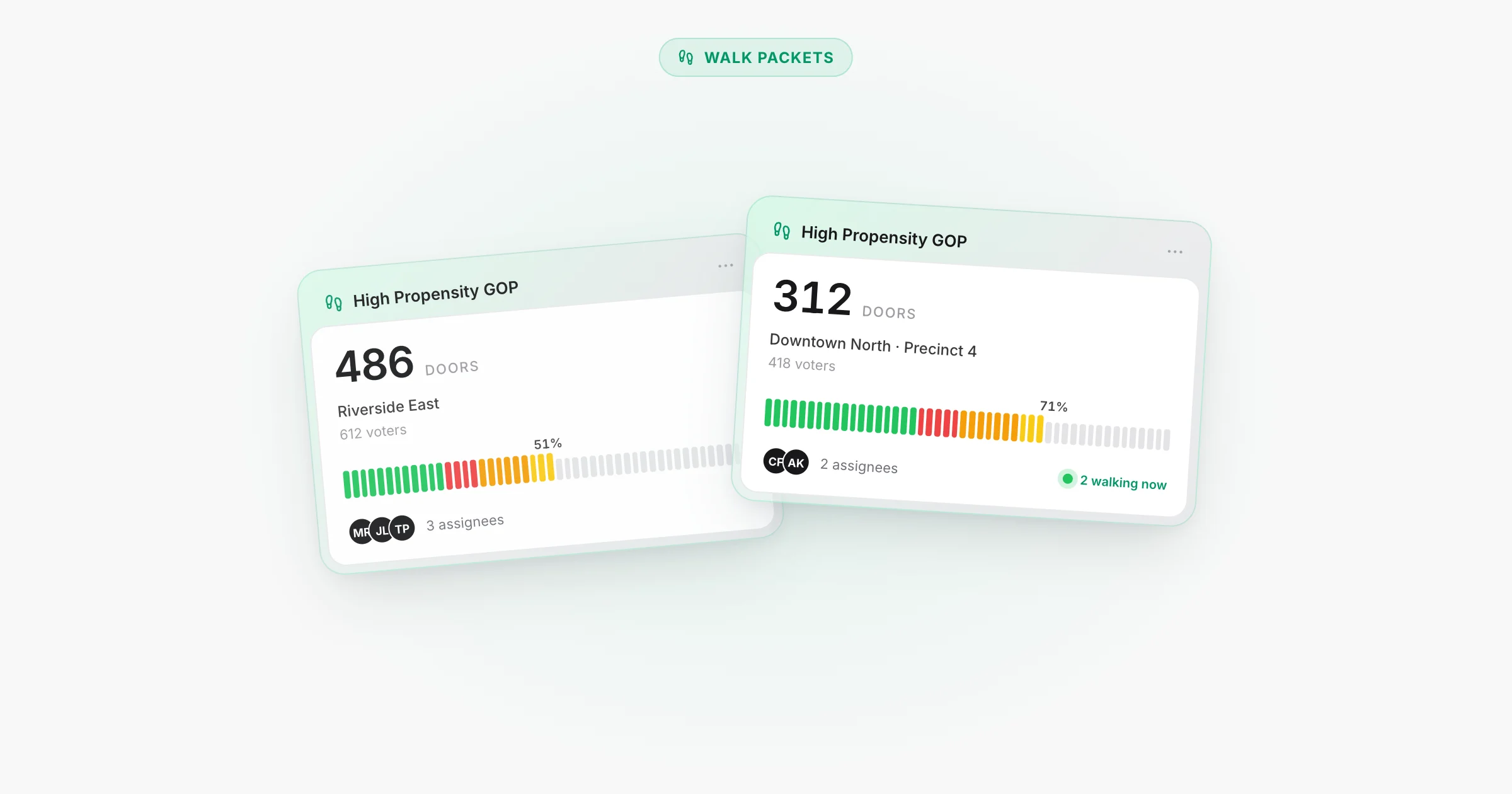
Educator Licenses Data Source
Florida Department of Education certified-educator records are now matched to voter profiles. If a voter holds a teaching certificate, you'll see an Education tag on their profile and can target educators directly from the Tags panel.
Read the full story

Reliability and Performance Fixes
A round of small fixes across voter lists, walk packets, and polls.
April 2026
2 updatesSimpler Voter Scores and Smarter CSV Sorting
We made voter propensity scores easier to understand, and we now sort CSV exports so households sit together, speeding up list review. Voter propensity scores We simplified how scores are presented. Your targeting shouldn't change meaningfully. For the full methodology, read the scoring docs. CSV exports Exports now sort by street address instead of last name. Voters in the same household sit next to each other in your CSV, making review and audit a lot faster. Every new export uses the new order automatically.
Bigger CSV Exports
You can now export lists with several hundred thousand rows, big enough to pull active voters for the largest counties in a single CSV. The export modal was refreshed too, with live progress while your file is building and a one-click download when it's ready.
March 2026
2 updatesPerformance Improvements
List downloads are faster now, with less waiting when you export data from Neurelect. We also made performance improvements to the VBM dashboard so it feels quicker in everyday use. We're continuing to improve performance across the product so everyday workflows stay fast.
Homestead Exemptions Data Source
We've integrated Florida homestead exemption records from county property appraisers directly into voter profiles. If a voter has a homestead exemption on file, you'll see it as a tag on their profile. Each exemption appears as a tag on the voter header. Hover over any tag to see the property address and exemption amount where available. Homestead exemptions are one of the strongest signals of residential stability — they confirm a voter owns and lives at their registered address. That makes them valuable for door-to-door canvassing, targeted mailers, and identifying long-term community members. Note Property records list owner names as they appear on the deed — which can include LLCs, trusts, or name variations that don't exactly match voter registration records. Because of this, not every voter with a homestead exemption will have a tag, and coverage will vary by county. Filter and target Build voter lists by filtering on specific exemption types. Combine homestead data with party, voting history, and location filters to find exactly who you need.
Read the full story
February 2026
9 updatesStatewide & Federal Candidate Filings
Analyst's candidate filings tool now covers every race on the ballot — not just local. Ask about any statewide or federal contest and get the full candidate list with party, district, status, and contact info. This includes Governor, U.S. House, U.S. Senate, State Legislature, Attorney General, CFO, Circuit Judges, and more. Data is pulled daily from the Florida Division of Elections alongside the existing county-level filings.
Corporations Data Source
We've integrated Florida's Division of Corporations (Sunbiz) records directly into voter profiles. If a voter is an officer, registered agent, or member of a corporation or LLC, you'll see it on their profile. Each corporation appears as a pill on the voter header. Hover over any tag to see full details — filing type, principal address, registered agent, filing dates, and all listed officers. Knowing who runs local businesses changes how you do outreach. These are the people who employ neighbors, sponsor community events, and sit on chamber boards — exactly the kind of engaged community members you want in your coalition. Filter by filing type Build targeted voter lists by filtering on these Sunbiz filing types: | Filing Type | |-------------| | Florida Limited Liability Company | | Domestic Profit Corporation | | Domestic Non-Profit Corporation | | Foreign Profit Corporation | | Foreign Limited Liability Company | | Domestic Limited Partnership | | Foreign Limited Partnership | | Foreign Non-Profit Corporation | | Non-Profit Registration | | Declaration of Trust | Filter for Domestic Non-Profit to find community organizers, or Florida LLC and Domestic Profit to reach small business owners directly.
Read the full story

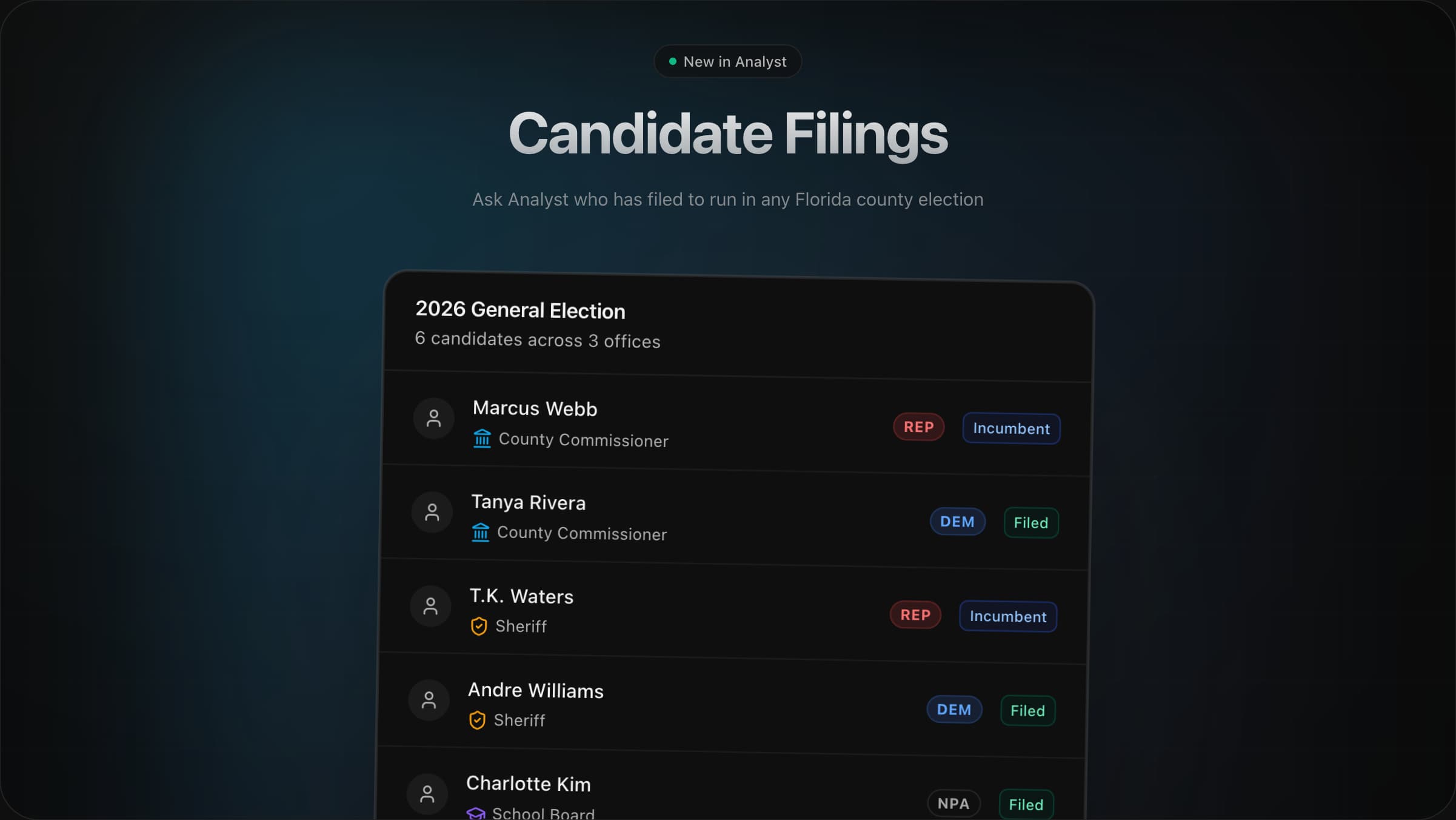
Candidate Filings in Analyst
Analyst can now pull candidate filing data for any Florida county election. Ask who has filed, see their office, party, incumbent status, and contact info all without leaving the conversation. With full visibility into the playing field, Analyst can build sharper strategy around competitive races, open seats, and incumbent matchups.
Read the full story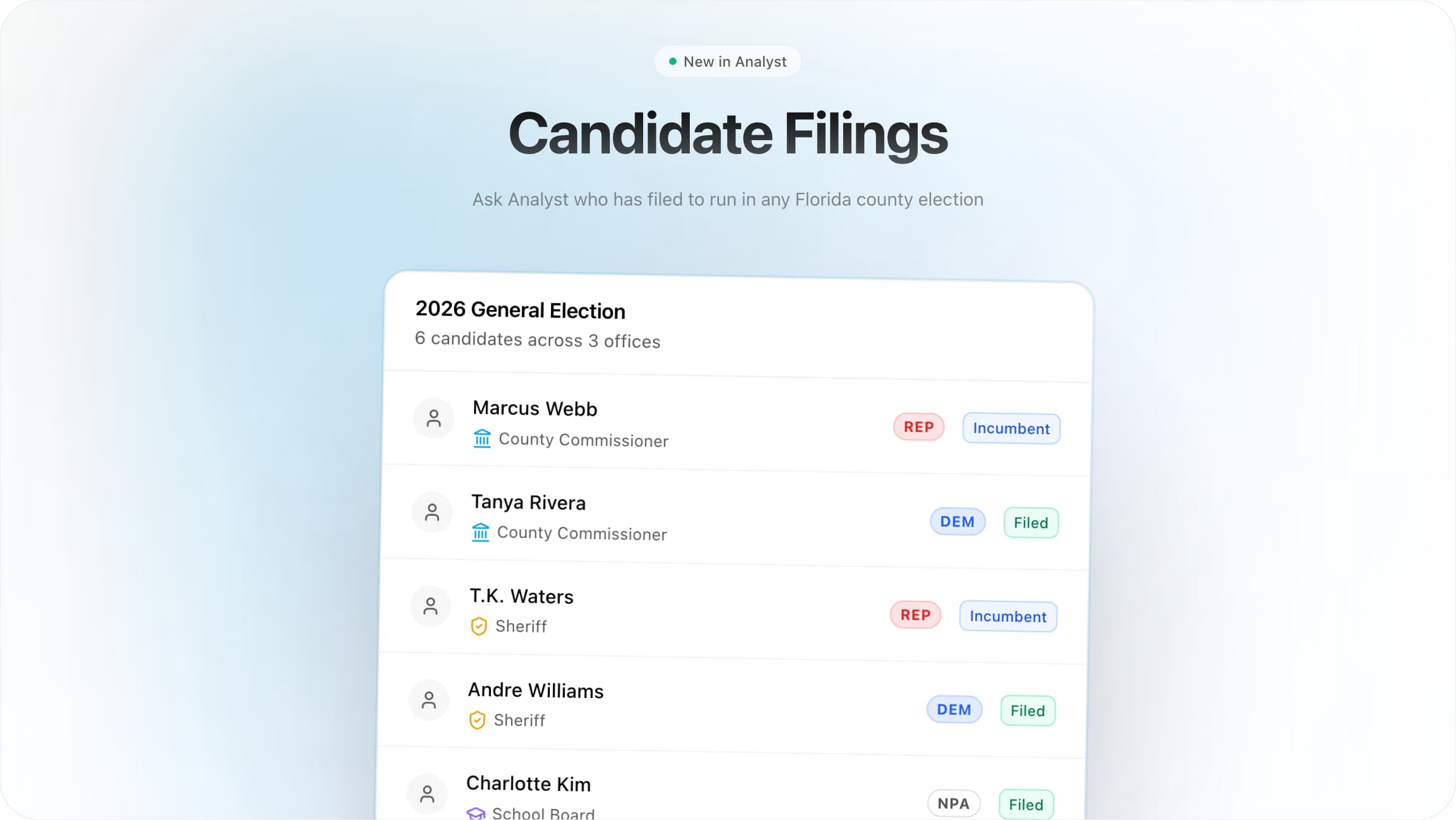
Improved Performance for Statewide Targeting
Fixed an issue where some statewide VBM and voting-history filters could time out on large audiences. When that happened, Analyst could fall back to voter scores or other data sources. These fixes improve reliability for statewide targeting queries.
Historical Voter Turnout + Chat Performance
We hope you had a great Valentine's Day! A quick update on recent Analyst improvements: Added a turnout tool in Analyst to make historical turnout comparisons easier. Made Analyst chat faster when opening and switching chats. Improved Analyst's ability to answer precinct and district lookup questions across jurisdictions.
Targeting Draw Improvements
Shapes drawn on the targeting map are now fully interactive. Switch to the select tool to click any shape and start editing. Move a shape by dragging it to a new position. Reshape by dragging vertices or midpoints. Remove a vertex with Backspace to simplify the outline. Delete a shape entirely by selecting it and pressing Backspace. Supported across polygon, rectangle, circle, and freehand tools.
Read the full storyWalk List UX Improvements
These updates from the past couple days focus on smoother canvassing workflows and everyday reliability improvements for field teams. Walk Lists Multi-unit addresses now group voters by building and unit, so teams can work a location top-to-bottom. Guests assigned to a list can canvass in the walk view, with a more reliable guest experience across walk sheets and list tools. Walk packet creation is now capped at 5,000 voters to keep exports fast and reliable. UX & Reliability Clearer labels and more obvious actions across lists, targeting, and notes. Fewer intermittent UI hiccups when moving between voters, lists, and walk views. Faster note edits: click a note to jump into edit mode. Fixed an issue where an invalid map shape could clear other shapes.
We Taught Analyst to Think Like a Strategist
Every campaign faces the same problem: there's too much to know. Game theory, polling methodology, coalition dynamics, field experiments, message testing—it's scattered across research and locked in the heads of expensive consultants. We built Analyst to fix that. Today we're releasing five strategic intelligence modules that bring elite-level campaign thinking directly into your workflow. What's Under the Hood | Signal | What it includes | | ------------------------ | ---------------------------------- | | 2,500 years | of strategic thinking distilled | | 100+ experiments | on what actually moves voters | | 1,000+ focus groups | on what language lands | | 190+ countries | of political power dynamics mapped | | 50+ campaign cycles | of hard-won practitioner wisdom | | Billions in ad spend | guided by these principles | The Skills Strategy & Opposition Competitive positioning and adversarial thinking. When to engage and when to wait. Whether they're bluffing or serious. Where they're vulnerable. How to read their moves before they make them. How to force them into bad positions without overextending yourself. Forecasting & Uncertainty Probabilistic thinking and calibration discipline. Is that poll shift real or just noise? How confident should you actually be? When to update your beliefs and when to hold steady. What models can tell you—and the honest limits of what they can't. Incentives & Coalitions The logic of political survival. Who does a politician actually answer to? Why do insiders always seem to win? Which of their supporters might be gettable? How coalitions hold together—and what makes them fall apart. Turnout & Field Operations Evidence-based GOTV. Which tactics actually produce votes and which are a waste of money. Who to target for maximum impact. What's realistic given your volunteers and geography. And why you should never trust a vendor's promises without seeing the proof. Language & Framing Message crafting and late-cycle discipline. How to make co…
Read the full story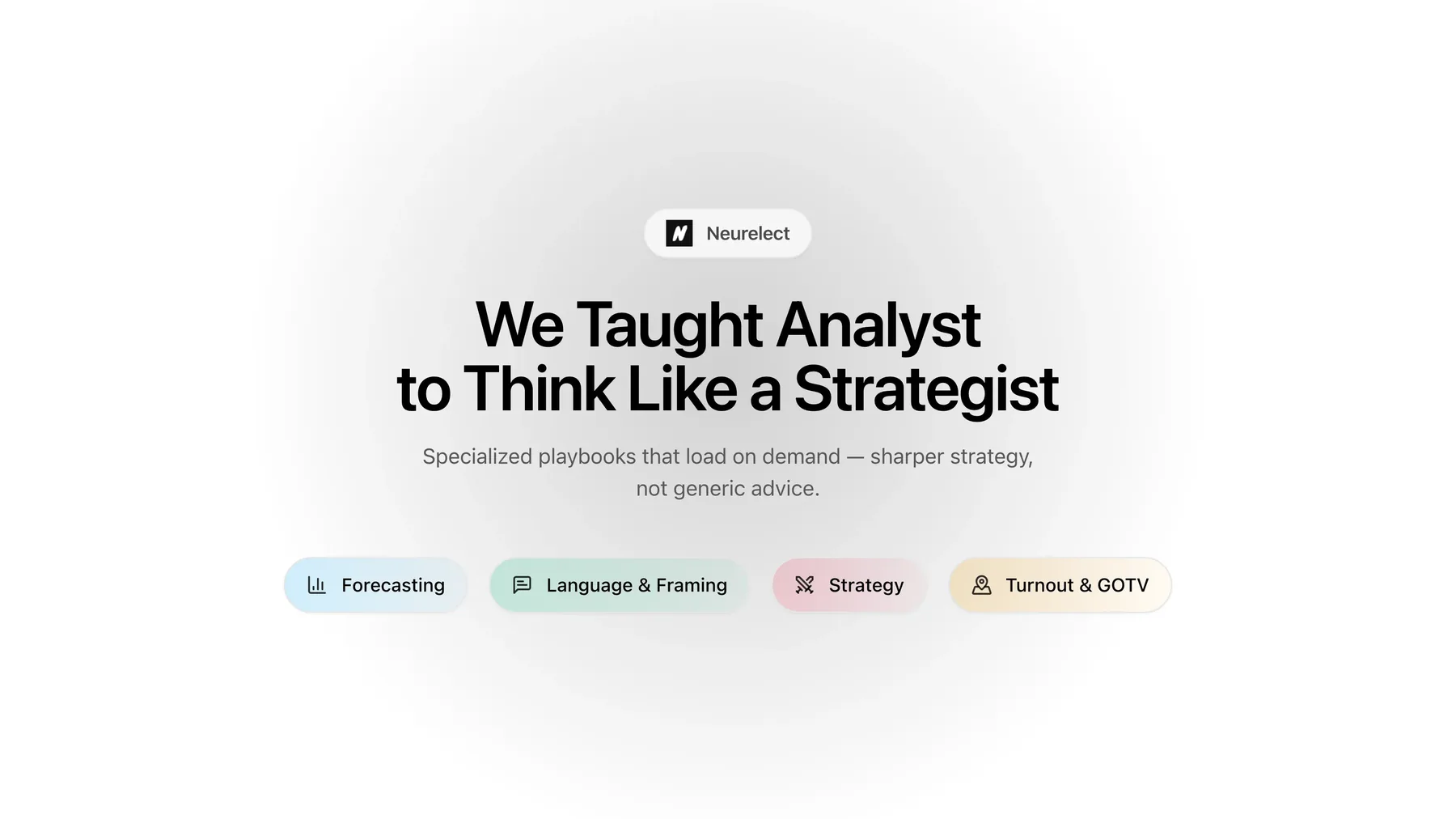

Bug Fixes
A few updates from the latest changes: Neurelect now notifies you if your map drawing is invalid—for example, if the selection intersects itself. Updated Analyst memory for Duval County's 2023 court-ordered redistricting. This helps Analyst recognize that precincts may have changed pre/post 2023 when analyzing historical election results. We will soon be releasing a new vote-by-mail (VBM) dashboard. Contact us if you want to be an early beta tester.
January 2026
6 updatesCanvassing Scripts, Voter Notes & Flexible Exports
Canvassing scripts You can now add a canvassing script to your campaign. Set it once in Settings and it appears at the top of every walk view—volunteers see exactly what to say without leaving the app. Walk packets can override the default with their own script. This lets you tailor talking points for specific turfs while keeping a campaign-wide fallback. Voter notes Canvassers can leave notes on individual voters. Notes persist on the list and are visible to the whole team, useful for context that doesn't fit a contact type. Flexible list exports Select specific rows with checkboxes, shift-click to select a range, choose between quick and full exports, and export only filtered results.
Read the full story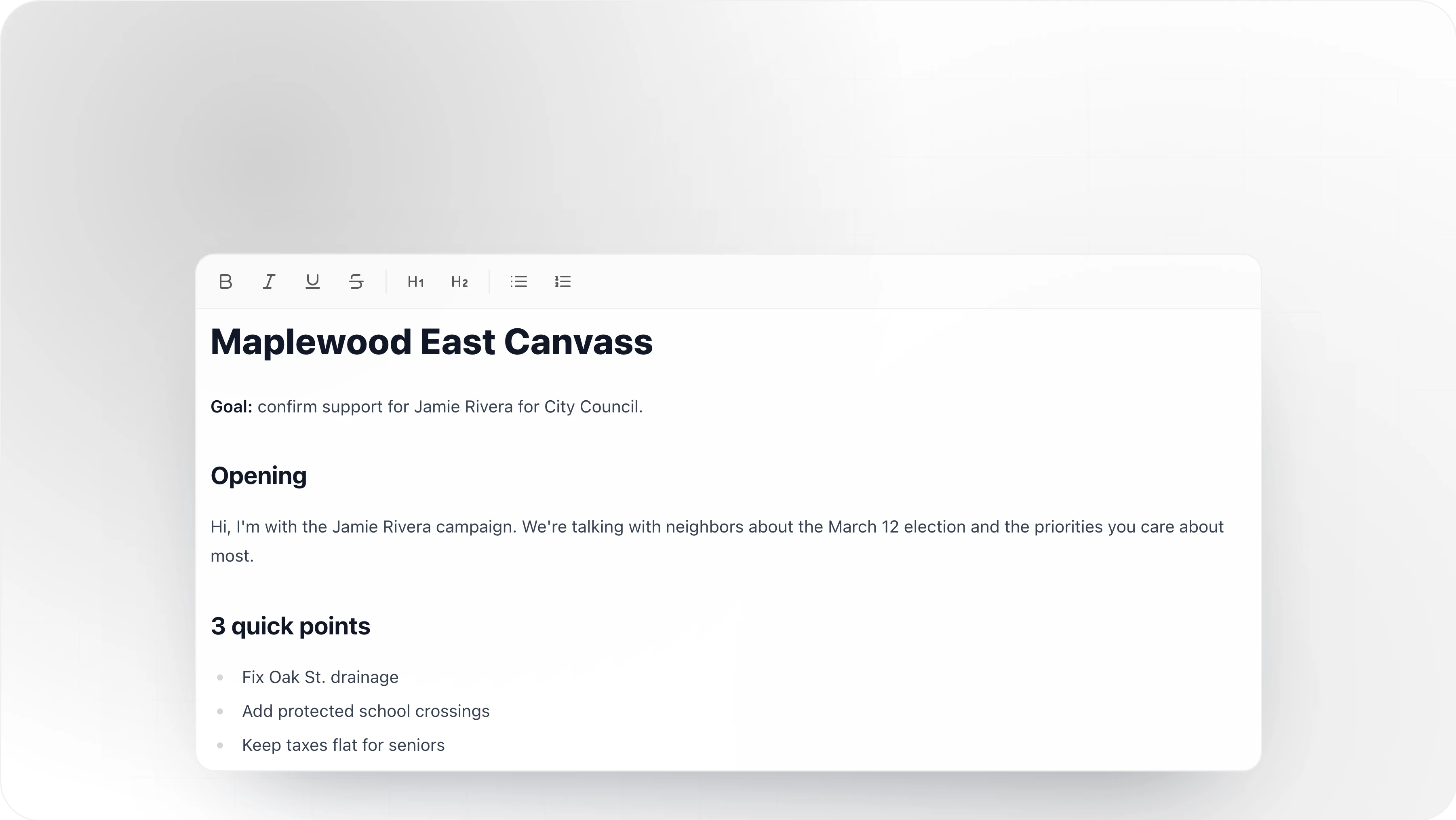
Introducing Statewide Precinct Results for Political Campaigns and Constitutional Amendments
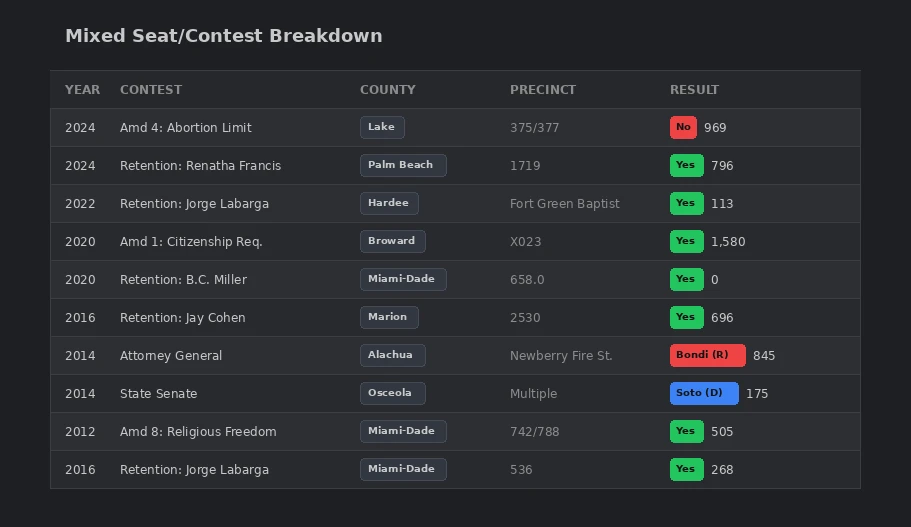
It's always about the data! Get the data for every race for political office and constitutional amendment, in every precinct, in every county across the state of Florida available in Analyst. Learn where to invest your resources to connect with voters. Understand previous trends to see important campaign-altering patterns.
Read the full story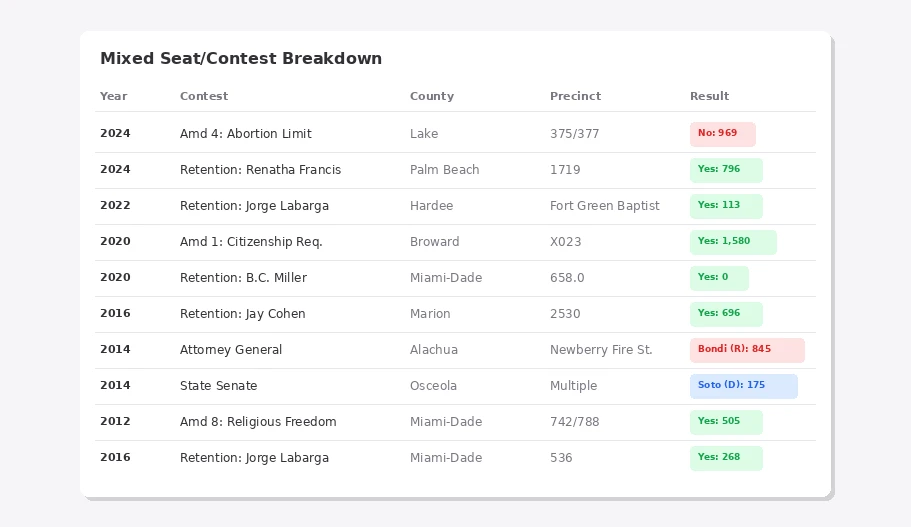
Historical Election Results
Historical election results are now searchable in Analyst. This new data source covers primary and general elections from 2012-2024. Ask Analyst about turnout, vote totals, and candidate performance at the precinct level. What you can do Compare how candidates performed across precincts in past races Find high-turnout precincts for targeting Analyze vote share trends over multiple election cycles Benchmark current campaign strategy against historical outcomes *Previously, Analyst would search the web for this information. Now it's built in.*
Export List to Spreadsheet
You can now export any voter list to CSV directly from the List page. Basic (~15 columns): names, addresses, party, age, scores, contact status Complete (~40 columns): all basic fields + phone, email, districts, demographics *Previously, exporting a list required going through the full targeting flow and selecting "Only" — now it's one click from any list.*
Political Candidate History on Voter Profiles
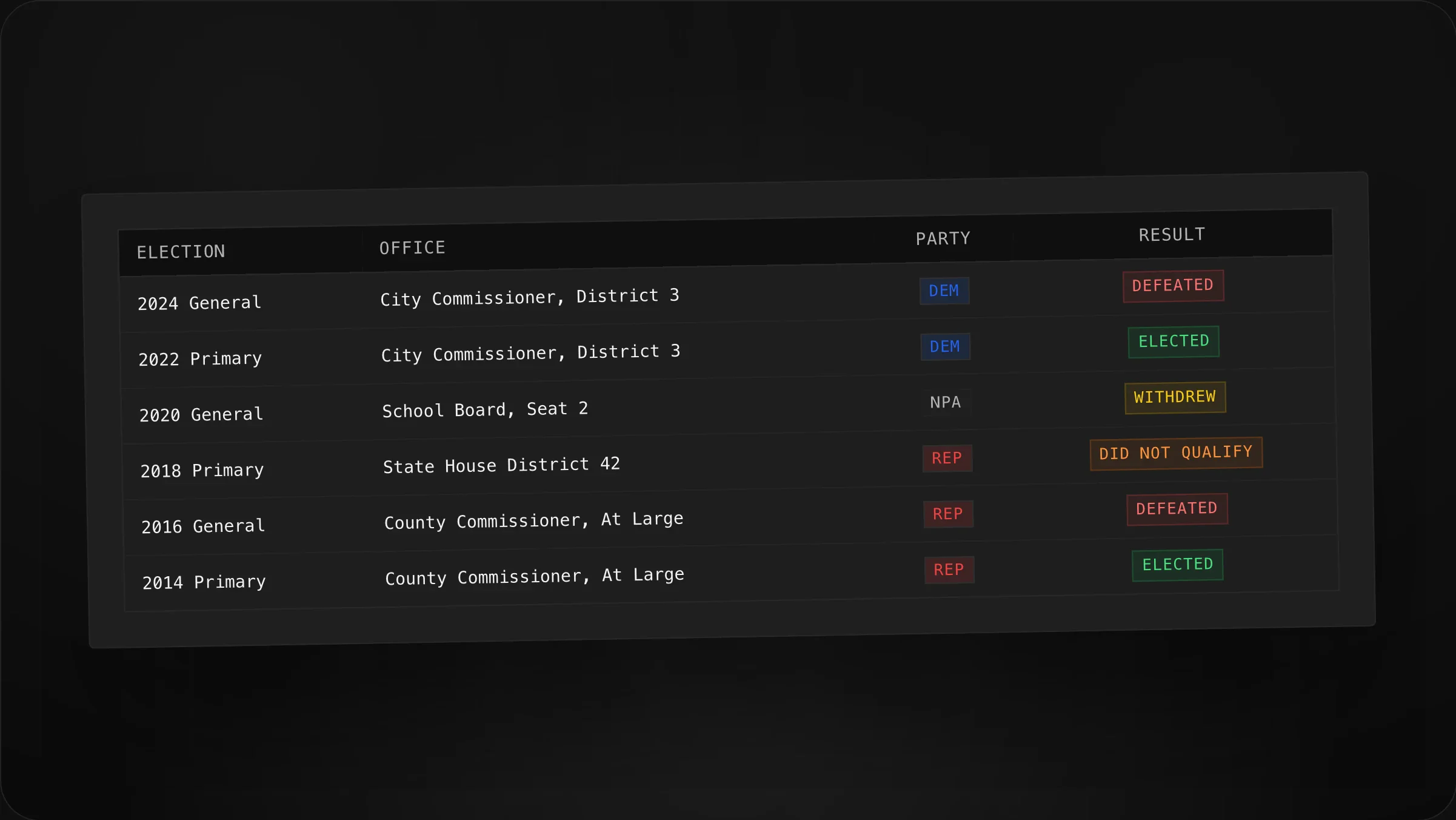
See who's run for office. Voter profiles now show a Ran for County Commissioner badge linking to a full campaign history table — every race, party, and outcome. Great for finding politically engaged voters who might make strong volunteers, donors, or endorsers.
Read the full story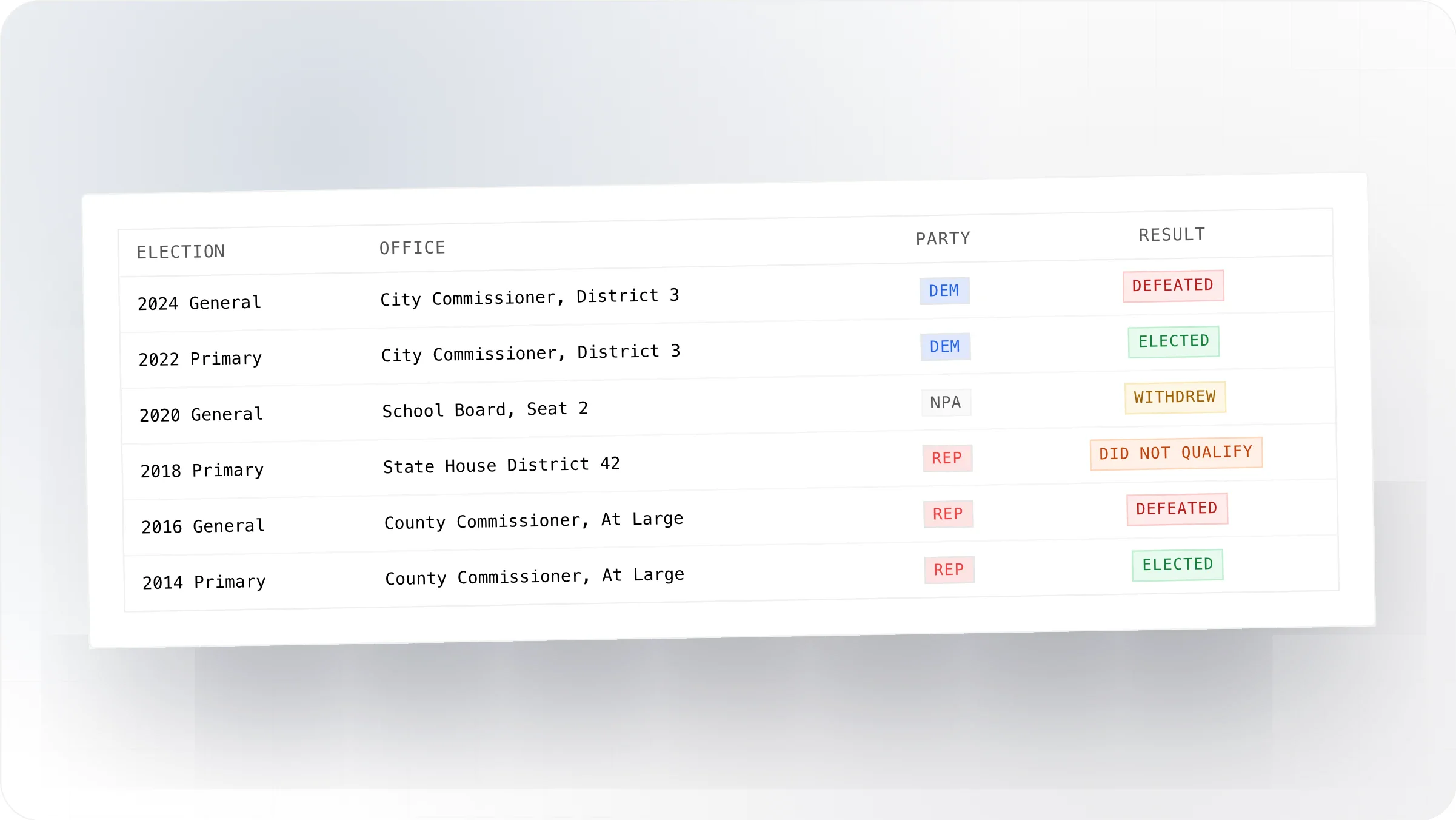
Introducing Surveys
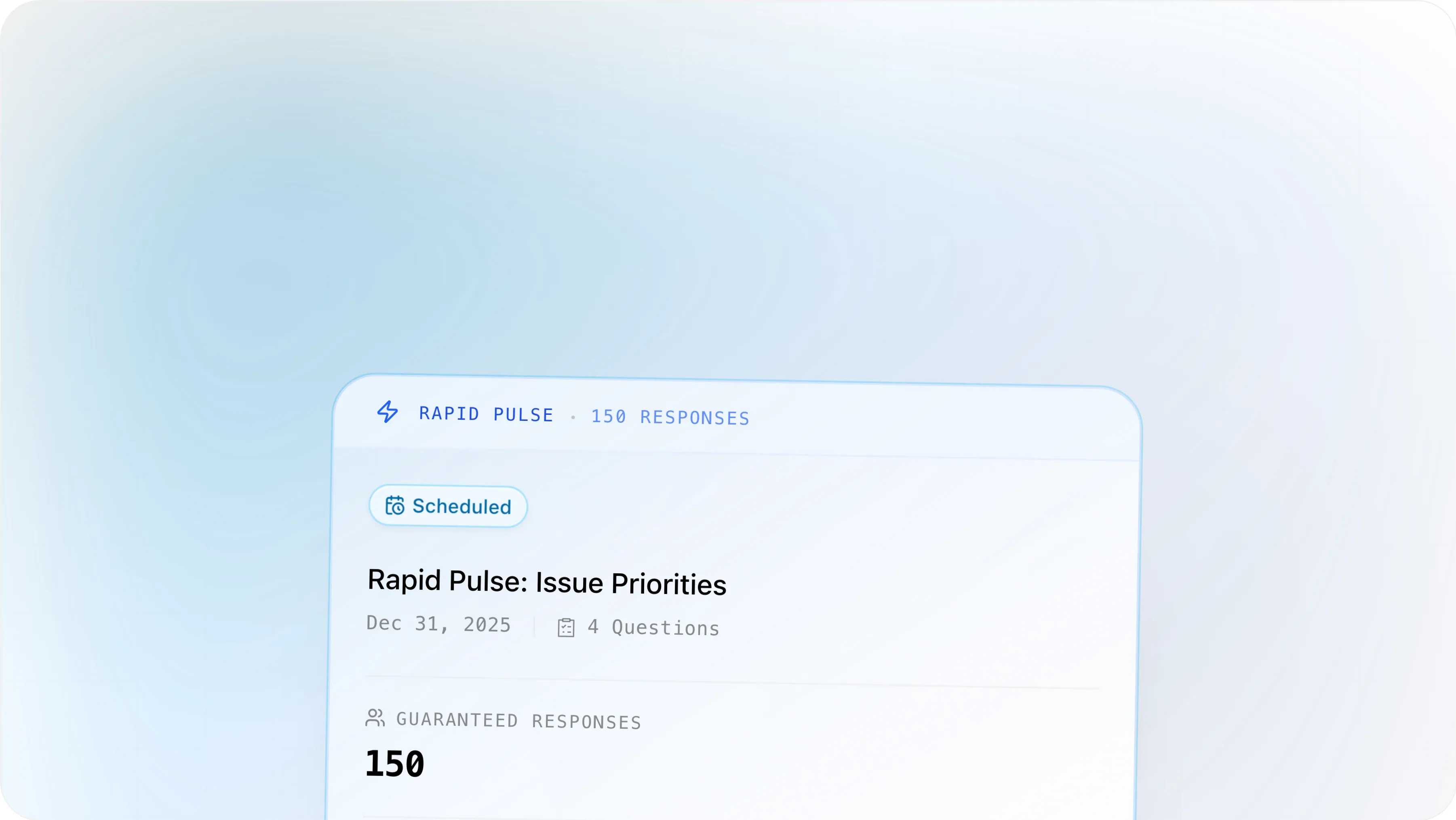
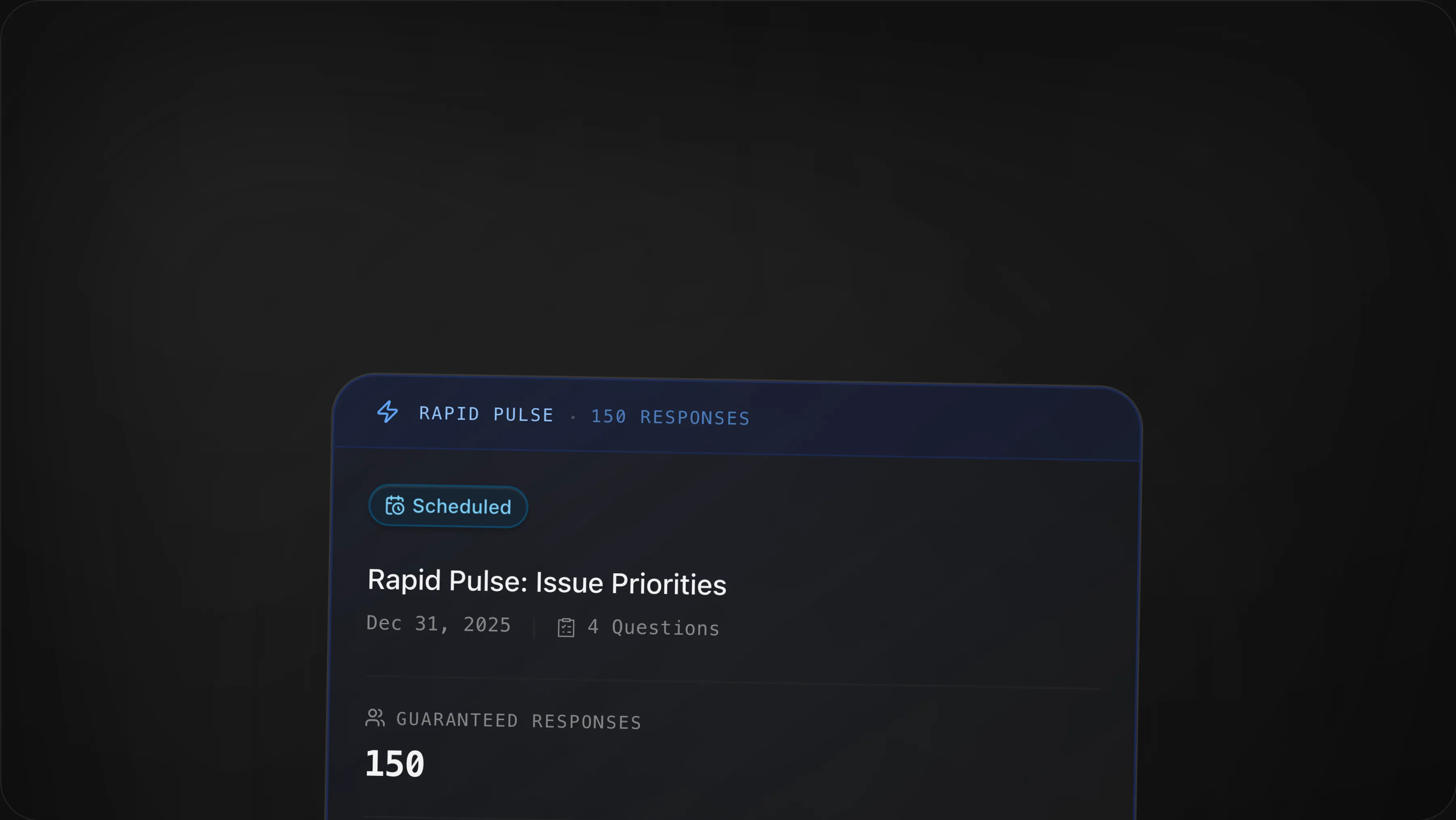
Surveys are now built into Neurelect. Two options let you match the tool to your needs: poll your own voter lists with SMS Survey, or get guaranteed responses from a managed sample with Rapid Pulse. SMS Survey Text your existing voter lists directly. You pick the lists, we handle delivery and deduplication. Pay per unique phone number — pricing updates in real-time as you add or remove lists so you know exactly what you'll spend before hitting send. Best for quick sentiment checks when you already have a defined audience. Rapid Pulse We handle the sampling. You tell us how many completed responses you need (75, 150, or 300), and we deliver properly weighted results with automated reminders to maximize response rates. Pay for completes, not attempts. Best for directional issue polling and message testing when you need representative coverage without managing your own lists.
Read the full story